Device File System
The File system tab on device detail (currently in Beta) browses the files on a device and opens them in an editor, so a file can be read or corrected without visiting the screen.
scripts👑 Pro Device Plan or higherDevice File Systemfilesystem👑 Add-on — not in a standard Device PlanWhen the tab is available
The tab appears only when all of the following hold:
- the organization has both the File System (
filesystem) and the Custom Scripts (scripts) feature entitlements, and the account may read Custom Scripts.scriptscarries the transport the tab runs on,filesystemgrants the browsing capability itself. While the feature is in Beta,filesystemis not part of any standard Device Plan and is granted per organization on request; - the device reports the Custom Scripts management capability;
- the device runs one of the supported platforms below.
When a device is supported in principle but cannot serve the feature, the tab appears and explains why
rather than failing silently. It does that when the device is offline, when its Core App is
older than the minimum for its platform, or when its front display is older than 14.34.1
(the front display check does not apply to Linux, whose transport does not need it). See
Custom Scripts prerequisites for those version tables.
There is no minimum platform (OS) version. Old panels are supported too, including Tizen 2.4 and webOS 3.x.
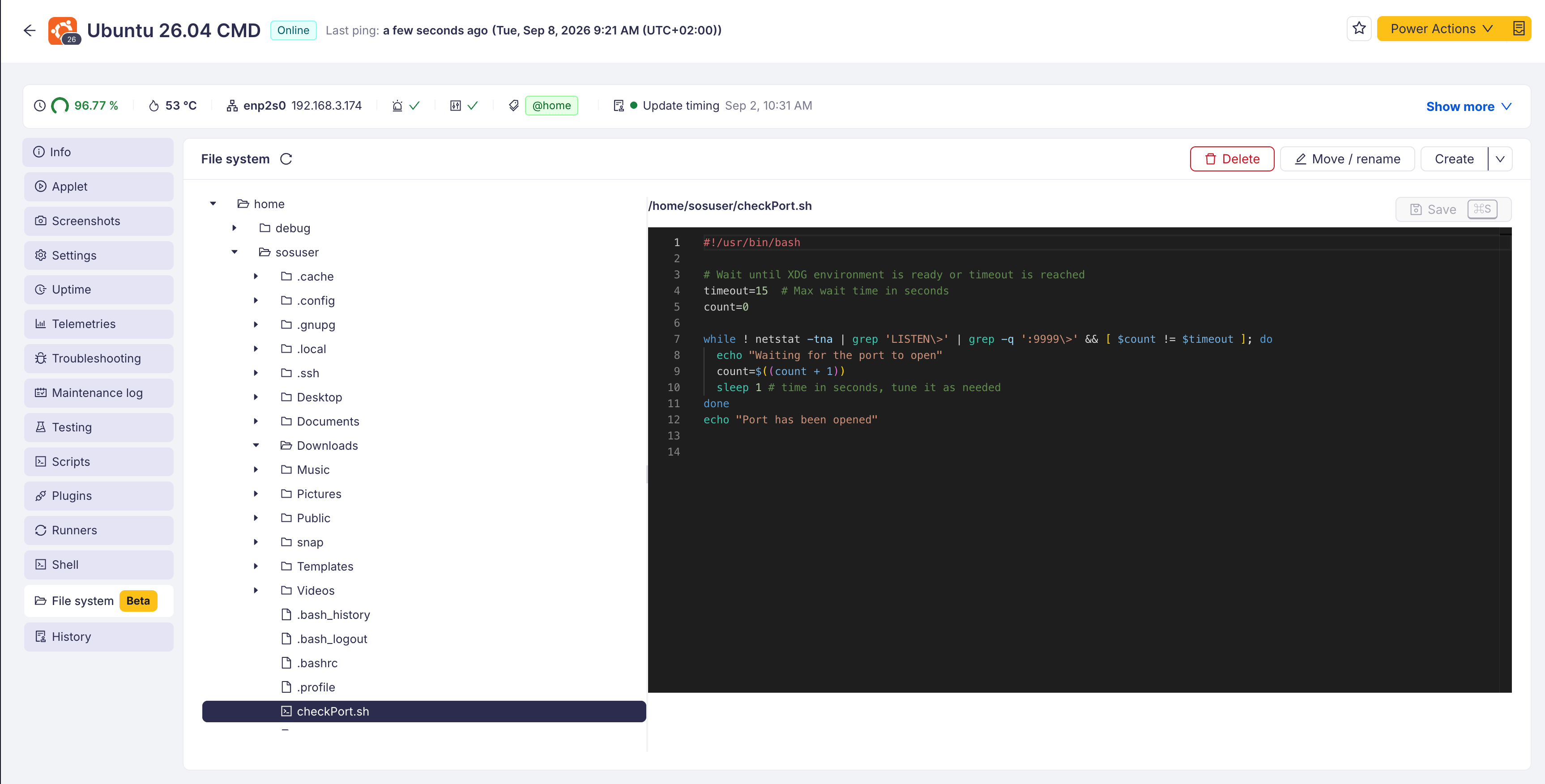
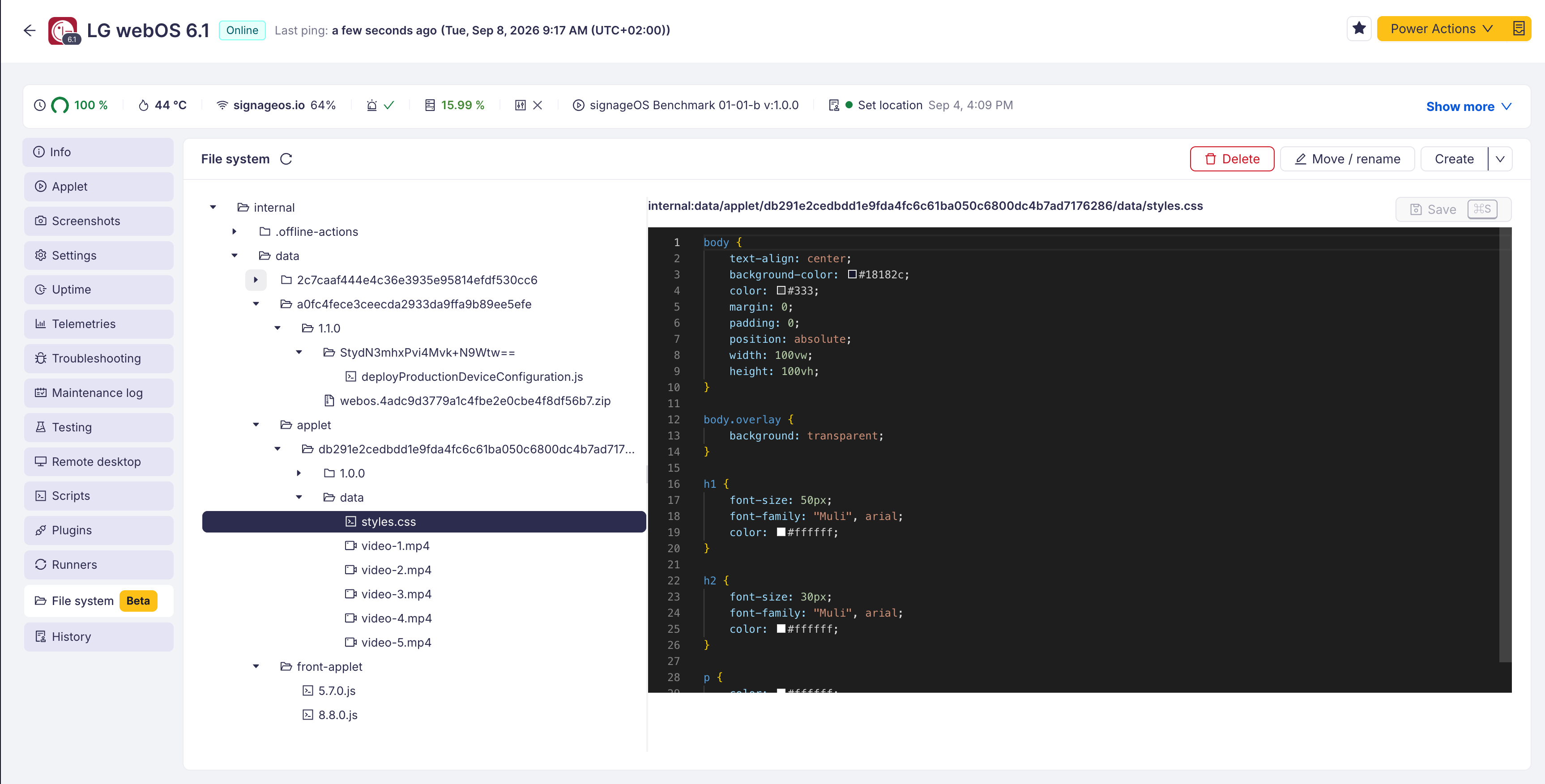
Supported platforms and what they reach
| Platform | What can be browsed |
|---|---|
| Linux | the whole filesystem, from / |
| Tizen | the device's storage units |
| webOS | the device's storage units |
| BrightSign | the device's storage units, including attached USB while mounted |
On every platform except Linux the scope is storage units, not absolute paths: paths are relative to a unit, and the tab lists the units as the top level of the tree. This is what the platform exposes, not a restriction added by the console.
Android, ChromeOS and Windows do not offer the tab. Windows is not supported yet even though the platform would allow it.
Browsing on the platforms that use storage units requires the file-system-browser Custom Script to be
present in the organization. The tab says so when it is missing.
What can be done
- browse directories and open a file in the editor, with syntax highlighting picked from the file extension, the file name or a shebang;
- edit a file and save it back;
- create a file or a folder in the selected directory;
- rename or move an entry;
- delete a file or an empty directory.
Every action is available both from the right-click menu on an entry and from the buttons in the tab header, and the tab can be operated entirely from the keyboard.
Limits
- File size is capped, differently per platform. On the storage-unit platforms a file up to 256 KB can be opened; a larger one is refused with its size, because the platform API returns a whole file at once and has no range read. On Linux a file opens up to 5 MB; a larger one shows its first 5 MB read-only, so a partial view is never saved back.
- 1000 entries per directory. A longer listing is shown truncated.
- Deleting never removes a subtree. A directory has to be emptied first.
- Moving never overwrites an existing destination, and on the storage-unit platforms a move cannot cross storage units.
- A listing shows names only. File size is reported when a file is opened.
- Nothing is sent to a device that is offline, and the actions are disabled until it reconnects.