eventStreams · Plan: 👑 Ultra Device PlanManage Event Stream Distributor exporters
These operations apply to both HTTPS webhook and Azure Event Hubs exporters. To create an exporter, follow the webhook or Azure Event Hubs walkthrough. The overview explains the shared concepts and delivery guarantees.
Find an exporter
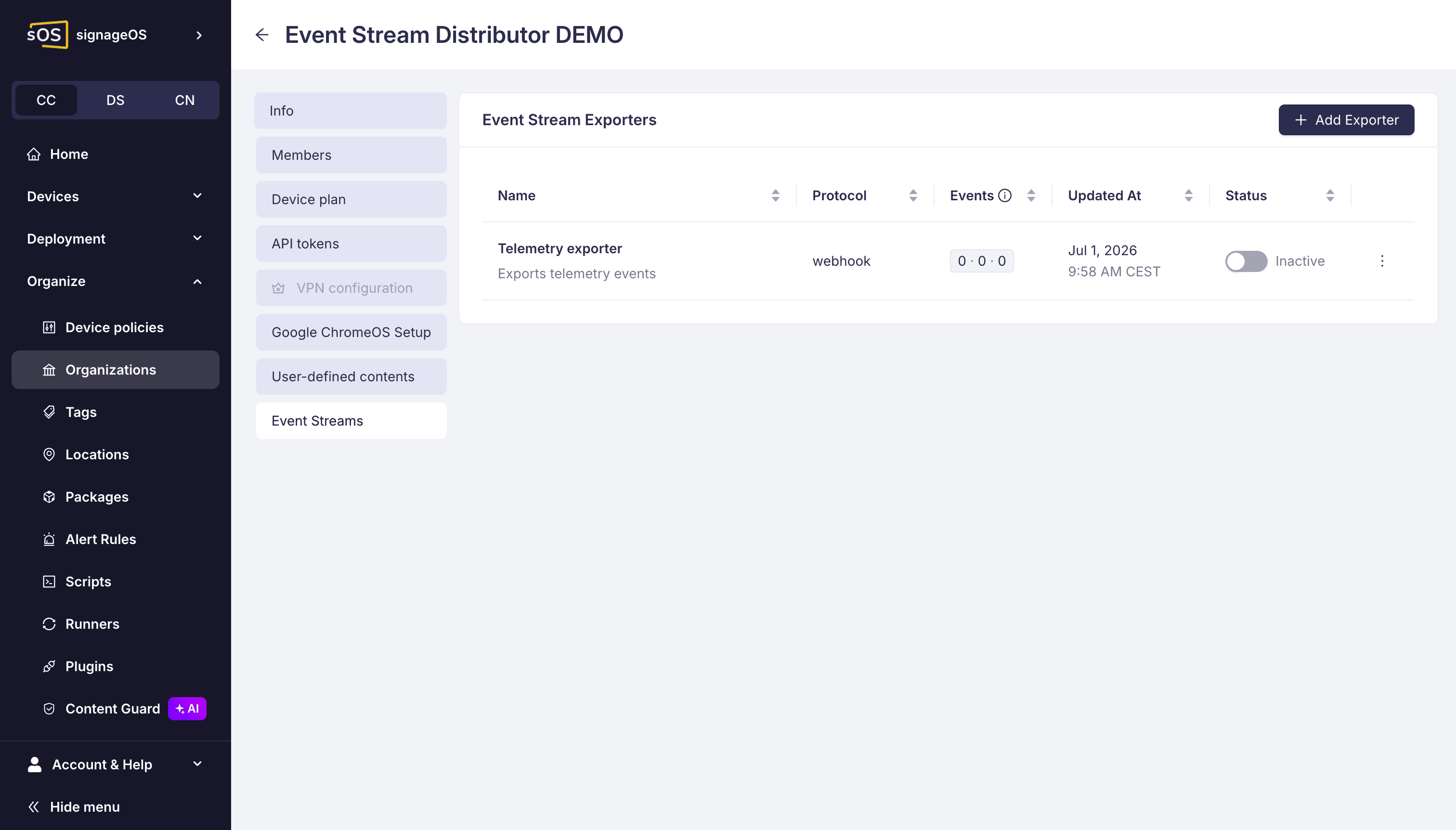
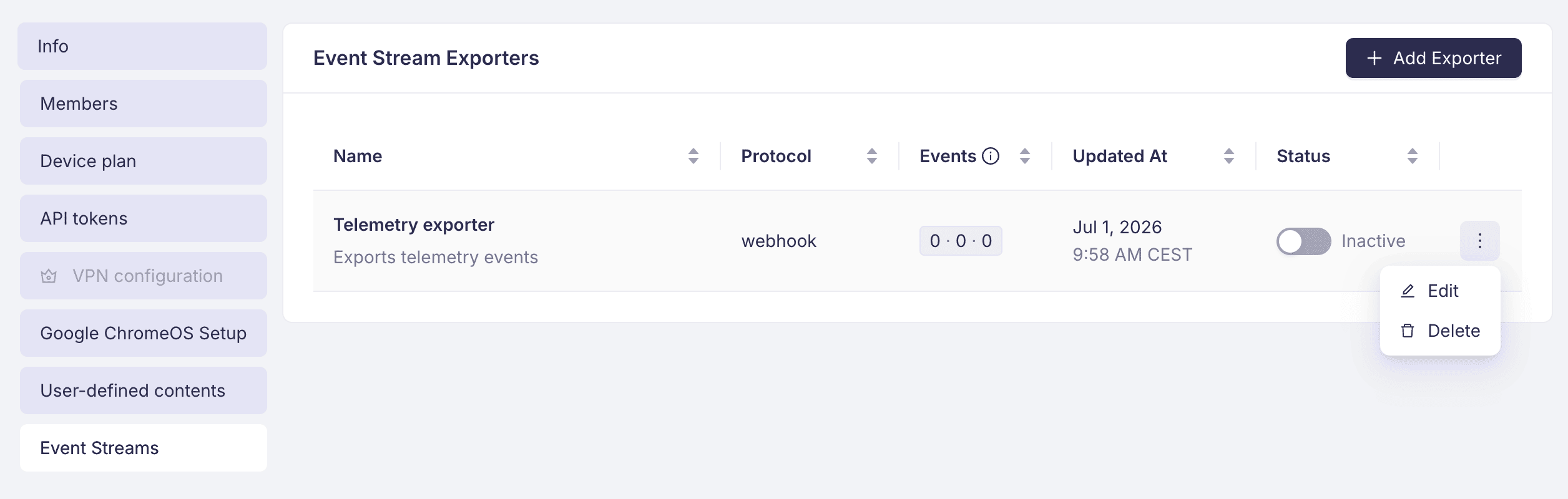
In Box, select the organization, open its detail, and go to Event Streams. To inspect an exporter's connection, selected events, and delivery details, click the delivery counters in its Events column. This opens the exporter details.
For REST requests below, replace TOKEN_ID:TOKEN_SECRET with your
Organization Auth Token
and EXPORTER_CONFIG_UID with the exporter's uid from creation or the list response.
List exporters:
curl -X GET \
  https://api.signageos.io/v1/event-stream/exporter \
  -H 'x-auth: TOKEN_ID:TOKEN_SECRET'
If the response includes a Link header for the next page, follow it to retrieve the remaining exporters.
To get the total count:
curl -X GET \
  https://api.signageos.io/v1/event-stream/exporter/count \
  -H 'x-auth: TOKEN_ID:TOKEN_SECRET'
To fetch one exporter's configuration and delivery details:
curl -X GET \
  https://api.signageos.io/v1/event-stream/exporter/EXPORTER_CONFIG_UID \
  -H 'x-auth: TOKEN_ID:TOKEN_SECRET'
Read responses never return credentials. Webhook connection details contain the destination URL; Azure connection details contain the namespace, hub name, and policy name. Missing secrets or keys in a response do not mean the exporter has lost its saved credentials.
Edit in Box
Use Edit in the exporter's row actions. Change the name, description, event selection, or format version and save. Existing credentials are retained unless you choose to replace them.
| Change | What you need to do |
|---|---|
| Name, description, event selection, or format version | Save the changes; keep the existing secret or keys. |
| Webhook URL | Choose to change the secret and enter a signing secret of at least 32 characters, together with the new URL. You can re-enter the existing secret if your receiver still uses it. |
| Webhook signing secret | Enter the new secret and update your receiver to verify with it. |
| Azure namespace, Event Hub name, or policy name | Choose to change keys and enter the credentials for the resulting connection. |
| Azure keys | Enter the primary key and any secondary key you want to retain. A blank secondary key removes the previously stored secondary key. |
| Destination protocol | The protocol selector is fixed during editing in Box. Create another exporter for the other protocol, verify receipt, and disable or delete the old one when appropriate. |
The keys and secrets are write-only, so Box cannot fill them back into the form. Keep your own secure copy. For Azure changes, the primary and optional secondary key must belong to the specified policy.
Update through the REST API
Send a PUT to /v1/event-stream/exporter/{exporterConfigUid}. For example, this request enables
the exporter and replaces its event selection:
curl -X PUT \
  https://api.signageos.io/v1/event-stream/exporter/EXPORTER_CONFIG_UID \
  -H 'Content-Type: application/json' \
  -H 'x-auth: TOKEN_ID:TOKEN_SECRET' \
  -d '{
  "enabled": true,
  "subscribedEventTypes": [
    "Device.Verification.DevicePaired"
  ]
}'
Do not send this example unchanged. Its subscribedEventTypes is a placeholder: the request removes
every other event type from the exporter, including the ones you selected in the setup walkthrough.
Replace it with the full list of event types that you want to keep.
A successful update returns 204 No Content. Top-level fields omitted from the request keep their
current values. The subscribedEventTypes array replaces the entire selection: include every event
type you want, including any Azure system-log subscriptions you wish to keep.
Omitting config retains the connection and all its credentials. Supplying config replaces the
entire connection configuration. Do not send only a changed URL or key, and do not copy a read
response back as config: read responses have had credentials removed.
For a connection or credential change, send the complete config shown in the relevant
webhook or
Azure creation example, using your current values
for fields you want to retain. Include the webhook authentication and signing secret, or the Azure
primary key and optional secondary key. Omitting the secondary key in a replacement Azure config
removes it.
The Box protocol restriction applies to its edit form. Through REST, a replacement config can
select another destination type, but the resulting event selection must be supported by that type.
When switching to a webhook, remove system-log subscriptions in the same request.
To change only the delivery format, send { "formatVersion": 2 } or { "formatVersion": 1 }.
Prepare your consumer for the selected envelope before saving the change;
it applies to subsequent dispatches.
Enable or disable delivery
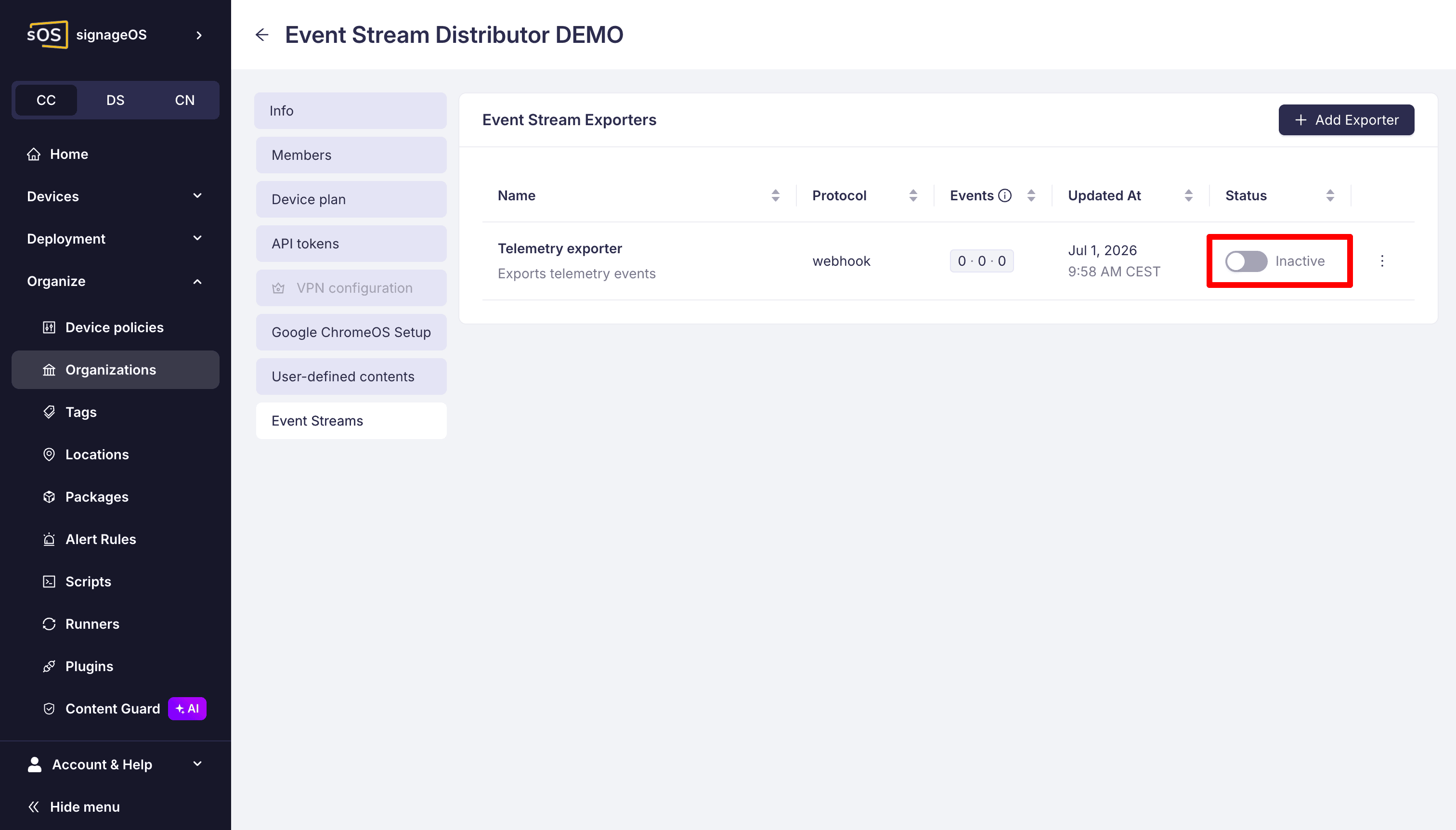
In Box, use the exporter's enable/disable switch and confirm the action. Disabling lets you pause an exporter without deleting its configuration. Keep your receiver running for a short time after you disable an exporter: events accepted before the change can still arrive. See when exporter changes take effect.
Through REST, enable without changing the connection or event selection:
curl -X PUT \
  https://api.signageos.io/v1/event-stream/exporter/EXPORTER_CONFIG_UID \
  -H 'Content-Type: application/json' \
  -H 'x-auth: TOKEN_ID:TOKEN_SECRET' \
  -d '{
  "enabled": true
}'
Disable without deleting the exporter:
curl -X PUT \
  https://api.signageos.io/v1/event-stream/exporter/EXPORTER_CONFIG_UID \
  -H 'Content-Type: application/json' \
  -H 'x-auth: TOKEN_ID:TOKEN_SECRET' \
  -d '{
  "enabled": false
}'
Both updates return 204 No Content. After enabling, verify a new event at your destination using
the relevant setup walkthrough.
Monitor delivery
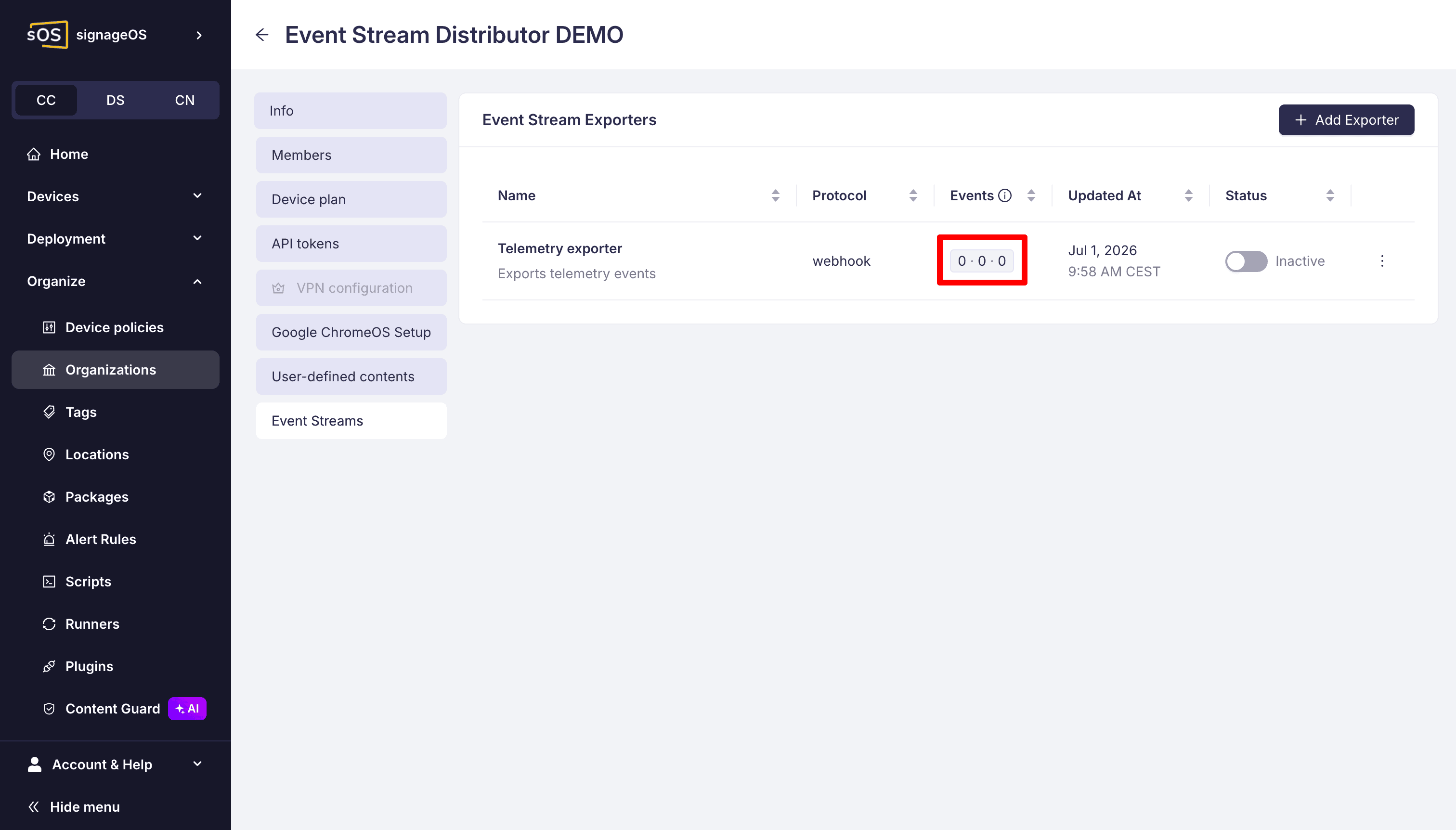
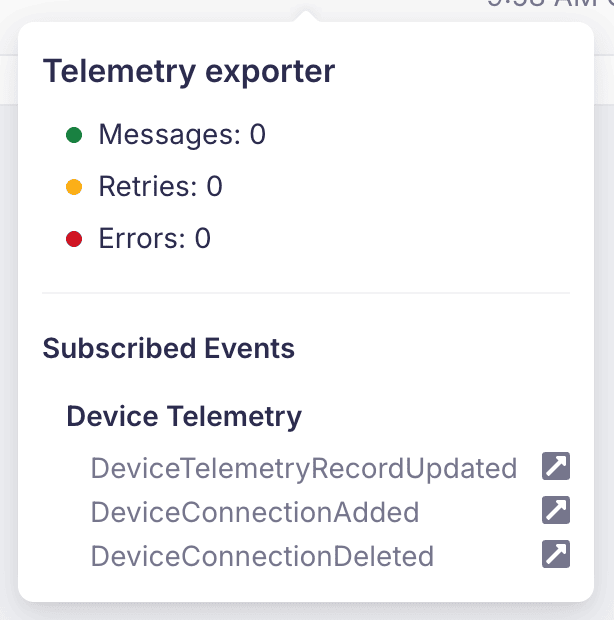
The Events column in Box shows delivery counters in the order messages · retries · errors. Hover over them for the exact counts and the selected events. Click them to open the exporter details with the last successful export time and recent failures.
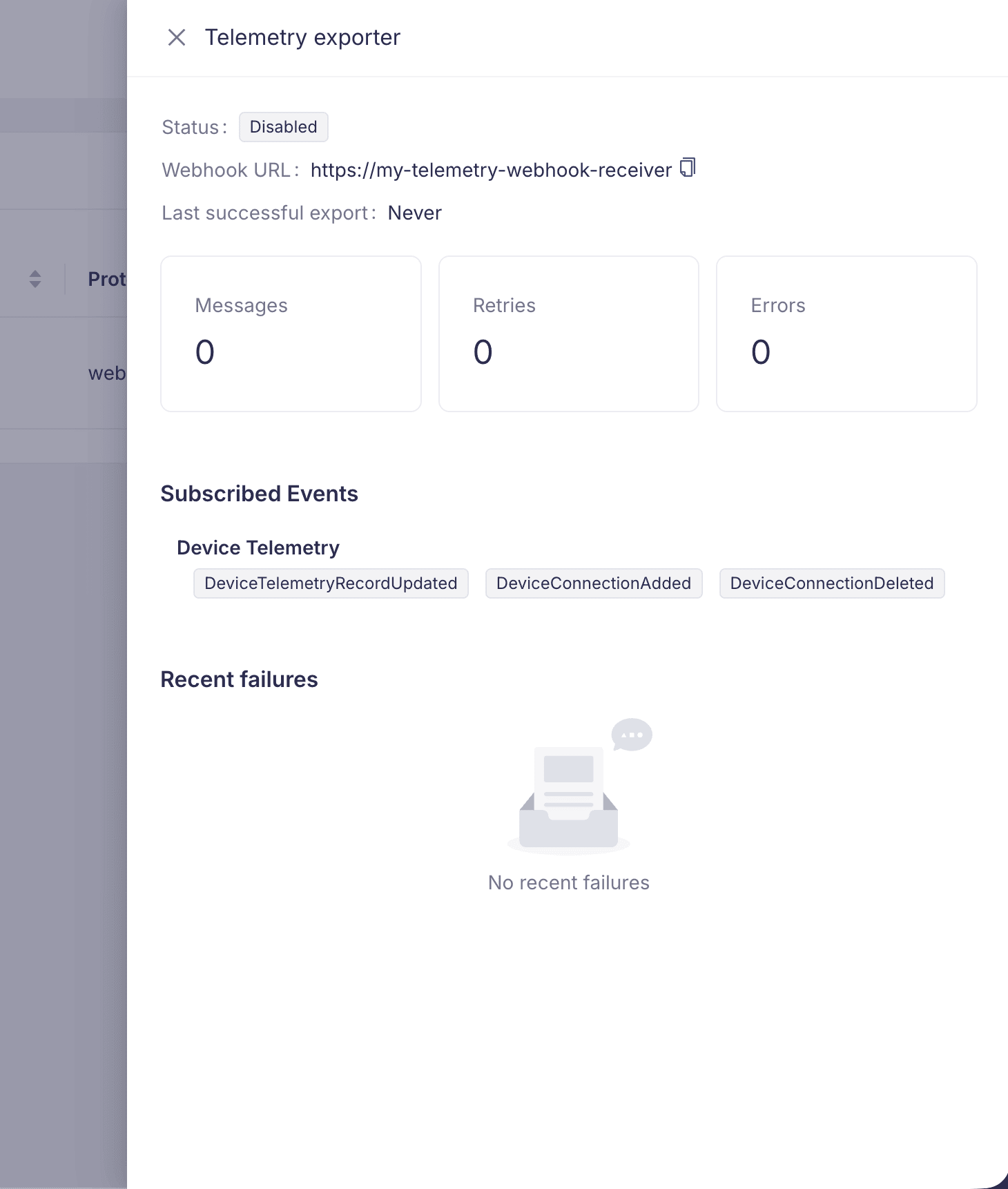
API list and single-exporter responses include an observability summary. A single-exporter read
also includes observability.recentFailures. Use the recorded event, attempt count, and error to
investigate delivery problems, and check your receiver or Azure consumer for actual message receipt.
For Azure Event Hubs, events delivered without retries (most telemetry and all system logs) are sent
in batches. ESD counts such an event as delivered when it adds the event to a batch, before Azure
confirms receipt. If Azure then rejects the batch, the recent failure shows (batch) as the event
and telemetry or systemLog as the event type, not the individual events that were lost.
These indicators do not change the delivery guarantees.
Delete an exporter
Use Delete in its Box row actions when you no longer need the configuration.
Alternatively:
curl -X DELETE \
  https://api.signageos.io/v1/event-stream/exporter/EXPORTER_CONFIG_UID \
  -H 'x-auth: TOKEN_ID:TOKEN_SECRET'
A successful delete returns 204 No Content. Use disabling instead if you want to keep the
configuration for later use.