Location detail
Each location has its own page, which keeps the site's information, the devices installed there and photos from the field in one place. Open it from the location list, or from a pin's preview on the map.
locations · Plan: Basic Device Plan or higherSite overview
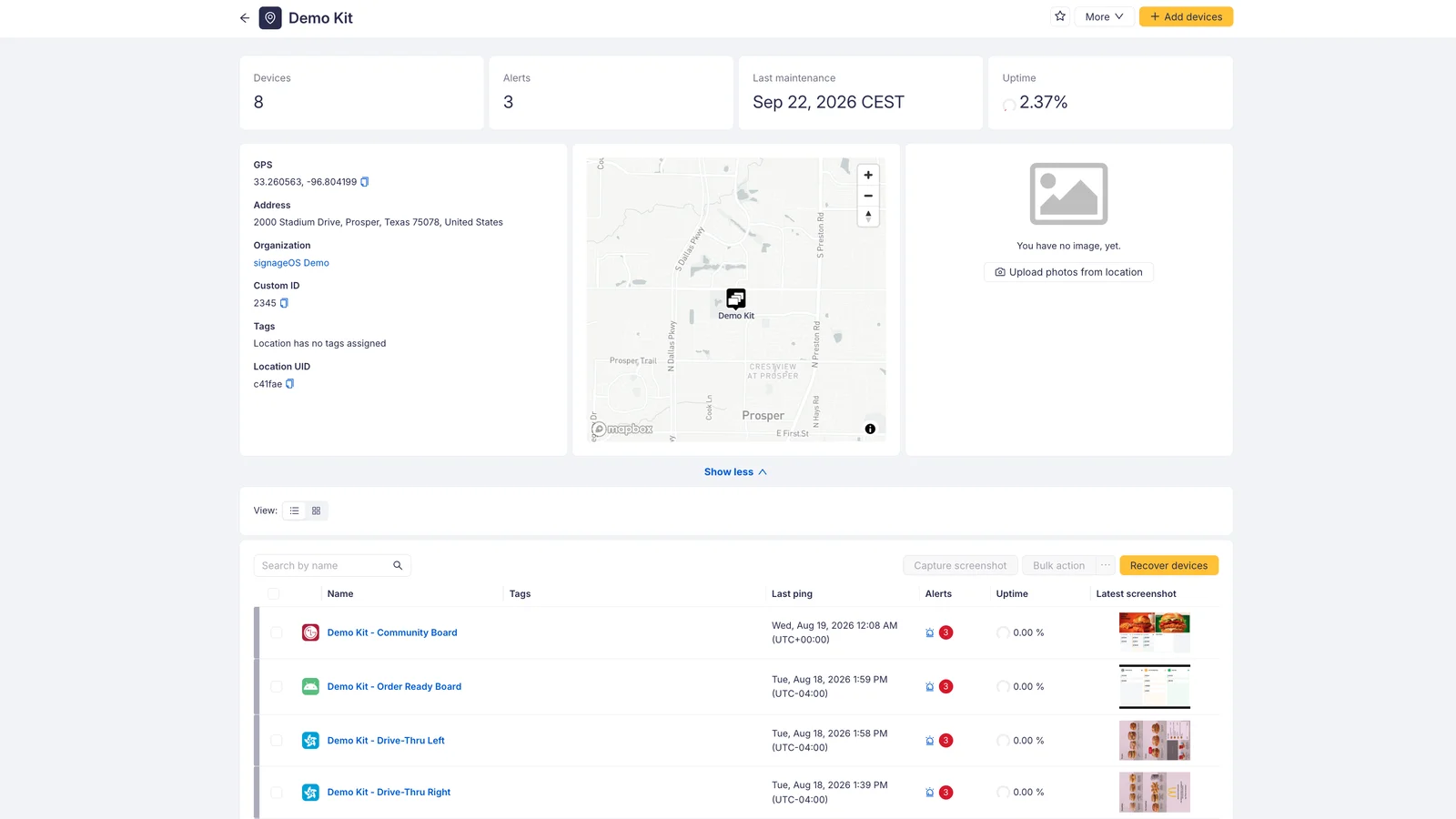
The row at the top summarises the site:
- Devices — how many devices are assigned to this location
- Alerts — how many alerts are currently triggered on them
- Last maintenance — when the site was last serviced
- Uptime — the uptime of the devices at this location
Below it you find what the location is: GPS, Address, Organization, Description, Tags, Custom ID and the Location UID, with the site shown on a map beside them. GPS and the UID can be copied with the icon next to the value. Use Show less / Show more to collapse the whole block when you only want the device list.
The header carries the actions:
- the star marks the location as a favourite, so it stays within reach in the menu
- More → Edit info reopens the same fields you filled in when adding the location
- More → Archive location retires a site you no longer operate. Archiving keeps the location and its history — it is not a deletion, and an archived location can be restored from the list with the Archived status filter.
Photo gallery
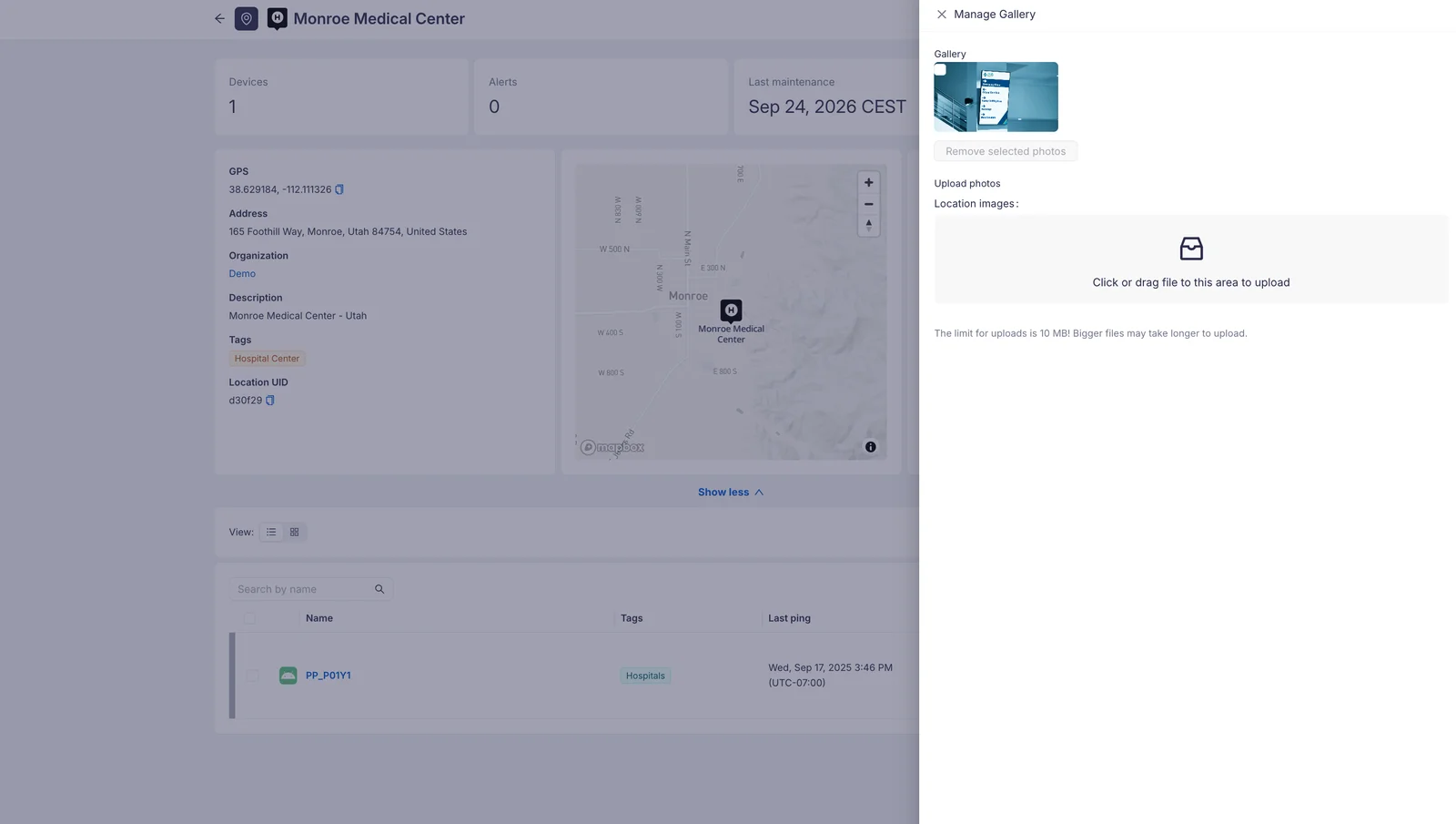
Manage Gallery opens a drawer with the photos of the site. Drop a file on the upload area, or click it to pick one — the limit for one upload is 10 MB, and bigger files take longer. To remove photos, tick the ones you no longer want and confirm with Remove selected photos.
Devices at the location
The list below the site information shows the devices assigned here, with their name, tags and last ping. Search it by name, switch between the list and grid view, and select devices to run bulk actions on them. Add devices in the header opens a drawer where you assign further devices to this location; the same drawer removes them again.