solutionHub · Plan: 👑 Pro Device Plan or higherIntroduction
The Solution Hub is a curated catalog of production-ready solutions you can install into your organization directly from Box. Instead of building everything from scratch, browse proven items and add them with a few clicks.
The catalog covers six item types:
| Item type | What you get |
|---|---|
| Applet | A ready-made applet you assign to devices via timings |
| Script | A custom script you execute on devices |
| Plugin | A plugin you add to a device policy |
| Runner | A runner you schedule on devices |
| Alert Rule | A pre-configured alert rule template |
| Content Guard | A pre-configured Content Guard category with detection items |
Prerequisites
- An active signageOS organization
- Pro Device Plan or higher
- The feature entitlement of the item type you want to install (see Feature entitlement gating)
Solution Hub is included in the Pro Device Plan or higher. If the Solution Hub item does not appear in the Box sidebar, your plan does not include it. Contact your account manager.
Browse and search
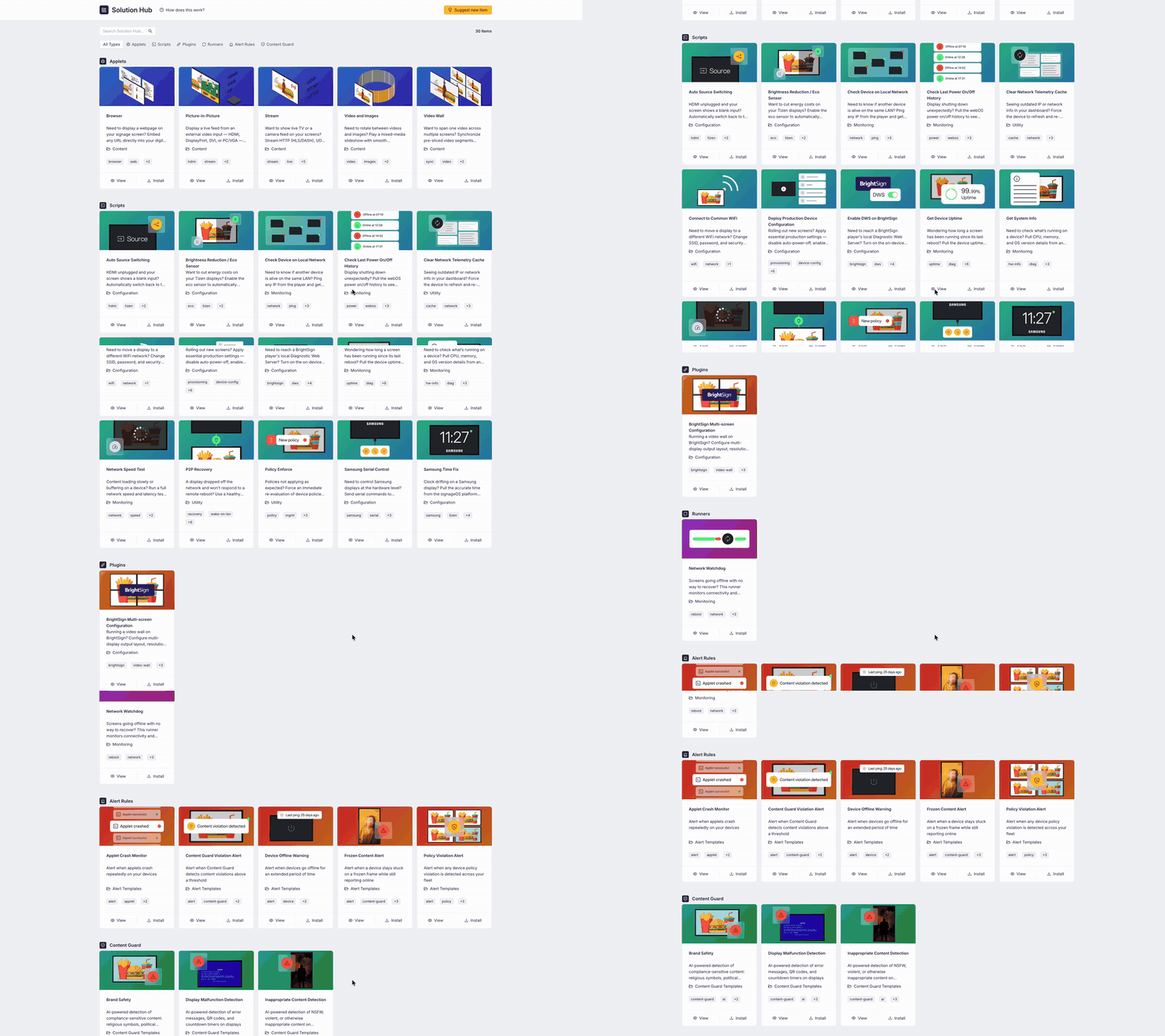
Open Solution Hub in the Box sidebar. The catalog gives you:
- A search field that matches the item name, system name, type, category, description, and tags
- A type filter — All types, Applets, Scripts, Plugins, Runners, Alert Rules, Content Guard
- Items grouped into a section per item type, with the total number of matching items shown next to the search field
- A Recommended row of featured items, shown when no search term and no type filter is active
Each item card shows the item's cover image, name, description, category, and up to two tags (the +N tag lists the rest). Use
View to open the item detail page or Install to start the install flow right from the card.
New to the Solution Hub? Click How does this work? next to the page title for a short onboarding tour. Your search and type filter are kept in the page URL, so you can share or bookmark a filtered view.
Item detail page
The detail page lists the item type, category, version, danger level, license, supported platforms, system name, tags, and the creation and last-update dates. Below the parameters you will find any screenshots, the full description, and an Available in organizations card showing where the item is already installed, including the installed version and the upgrade action.
Browse without leaving your workflow
Entity list pages (Applets, Custom Scripts, Plugins, Runners, Alert Rules) and the Custom Scripts, Plugins, and Runners tabs on the device detail page include a Browse Solution Hub button that opens the catalog in a side drawer, so you can install an item without navigating away.
Feature entitlement gating
Installing is restricted per item type:
| Item type | Required feature entitlement |
|---|---|
| Applets | DevSpace |
| Scripts | Custom Scripts |
| Plugins | Plugins |
| Runners | Runners |
| Alert Rules | Alerts Management and the entitlement of the rule's alert type (Device, Policy, Applet, Screenshot) |
| Content Guard | Content Guard; templates that use AI prompts additionally require AI Content Guard |
How the gating shows up in the catalog:
- Item types your company cannot get at all are hidden — they do not appear in the type filter or as a section.
- Items you could get but your plan does not cover are listed with a crown icon, a disabled Install button, and an upgrade notice above the section.
- When selecting a target organization during install, organizations that lack the required entitlement are marked with a crown and cannot be chosen.
Contact your account manager to unlock additional item types.
Suggest items and share feedback
Missing something? Use Suggest on the catalog page to tell us about an applet, script, plugin, runner, alert rule, or Content Guard template you would find useful — we review every suggestion. You can also Share feedback from an item's detail page to help us improve the Solution Hub.