Member Roles
Member Roles are defined separately in a Company and Organization. Member Roles are based on the industry-standard approach of least privileges so you will need to explicitly grant member access to your Company, Organization, and management features.
Feature entitlement:
customRolesDefinition · Availability: 👑 Company feature (add-on)Company Member Roles
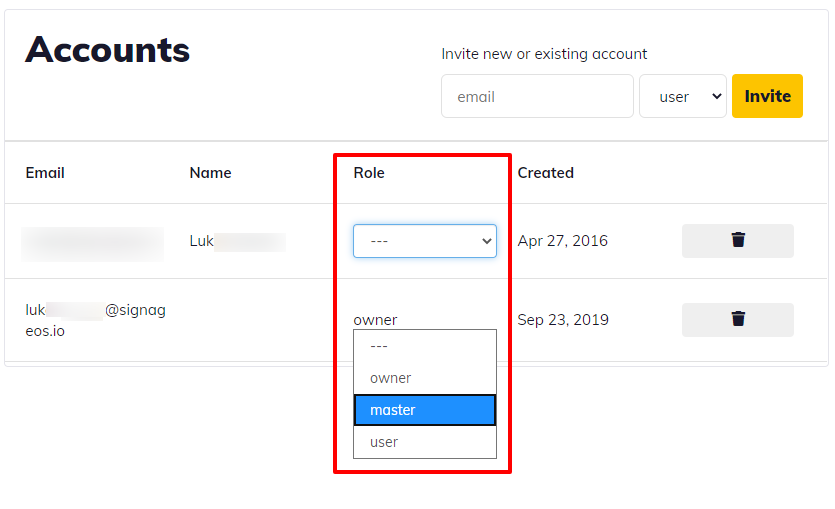
- Company Owner
- Company Manager
- Company User
- Company Guest
- Company Viewer
Organization Member Roles:
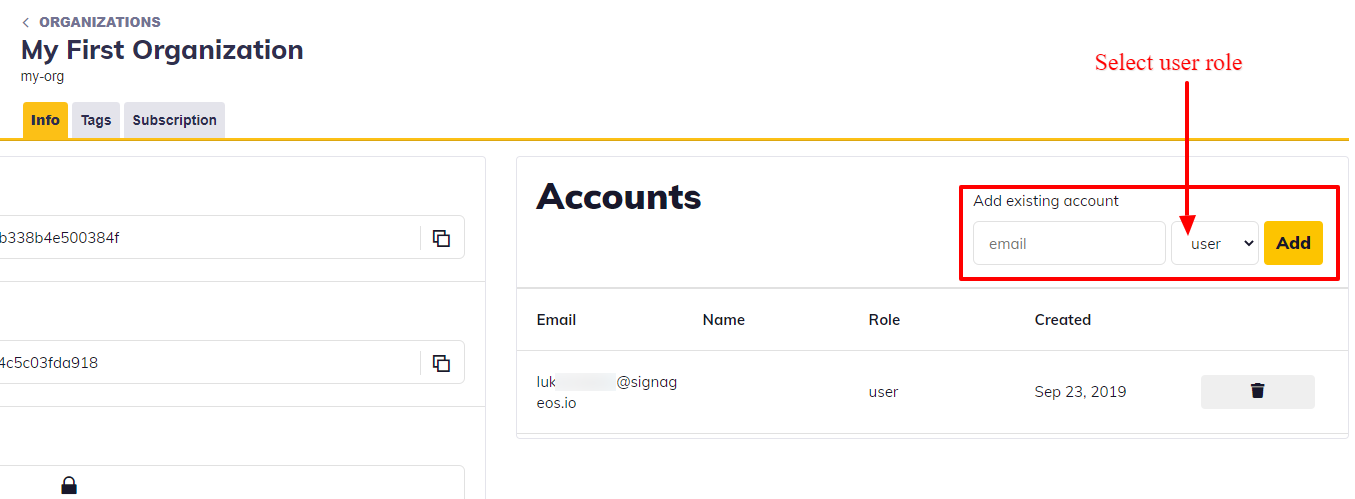
- Organization Manager
- Organization User
Role Descriptions
| Role | Description |
|---|---|
| Company owner | Member that created the Company, or got the ownership afterwards. Capable of complete management, device and organization overview. Full access everywhere. |
| Company manager | Member assigned to the Company with "admin"-like privileges. Have full access to all Organizations as an Organization Manager + can manage Organization's Device Plan. Can invite new members to the Company or Organizations |
| Company user | Standard company member managing end-customers Organizations. Privileges apply if assigned to the company. Have access to assigned Company's Organizations as either Organization Manager or User. Possibility to get granted access to all Organizations within the Company. No Device Plan management. No Company settings access. Company User has access to the signageOS support portal. |
| Company guest | Standard company member managing end-customers Organizations. Privileges apply if assigned to the company. Have access to assigned Company's Organizations as either Organization Manager or User. Possibility to get granted access to all Organizations within the Company. No Device Plan management. No Company settings access. No Organization device packages management No access to the signageOS support portal. |
| Company viewer | Member with this role has only the right to view, they are not allowed to create new or modify existing data in any way. |
| Organization manager | Member assigned to the Organization capable of full management (Read, Create, Update, Delete) of the Organization and its: Devices: View, Provision, Update, Deprovision; Manage settings Applets: View, build Core Apps, Assign to devices Locations: View, Create, Update, Delete Alerts & Alert Rules: View, Create, Update, Delete Device Policy: View, Create, Update, Delete Members: View members in the Organization Organization Packages management Can not change the Organization Device Plan. |
| Organization user | Standard member assigned to an Organization. Devices: View, Provision, Update, Deprovision; Manage settings Applets: View, build Core Apps, Assign to devices Locations: View, Create, Update, Delete Alerts & Alert Rules: View, Create, Update, Delete Device Policy: View, Create, Update, Delete Members: View members in the Organization |
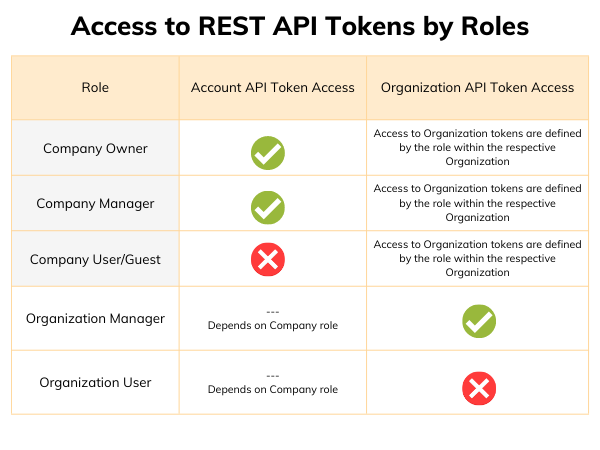
Access to REST API tokens based on the member role
Only certain roles can access and generate REST API tokens. Account tokens are restricted to Company owners and managers. Organization tokens are only available for members that have a Manager role under the respective Organization.