How to connect BrightSign and Bluefin to WiFi
In order to connect the device with the BrightSign system, it is possible to edit the custom.brs file which is included in the provisioning package for the device.
How To Install SignageOS On BrightSign Display
- 1
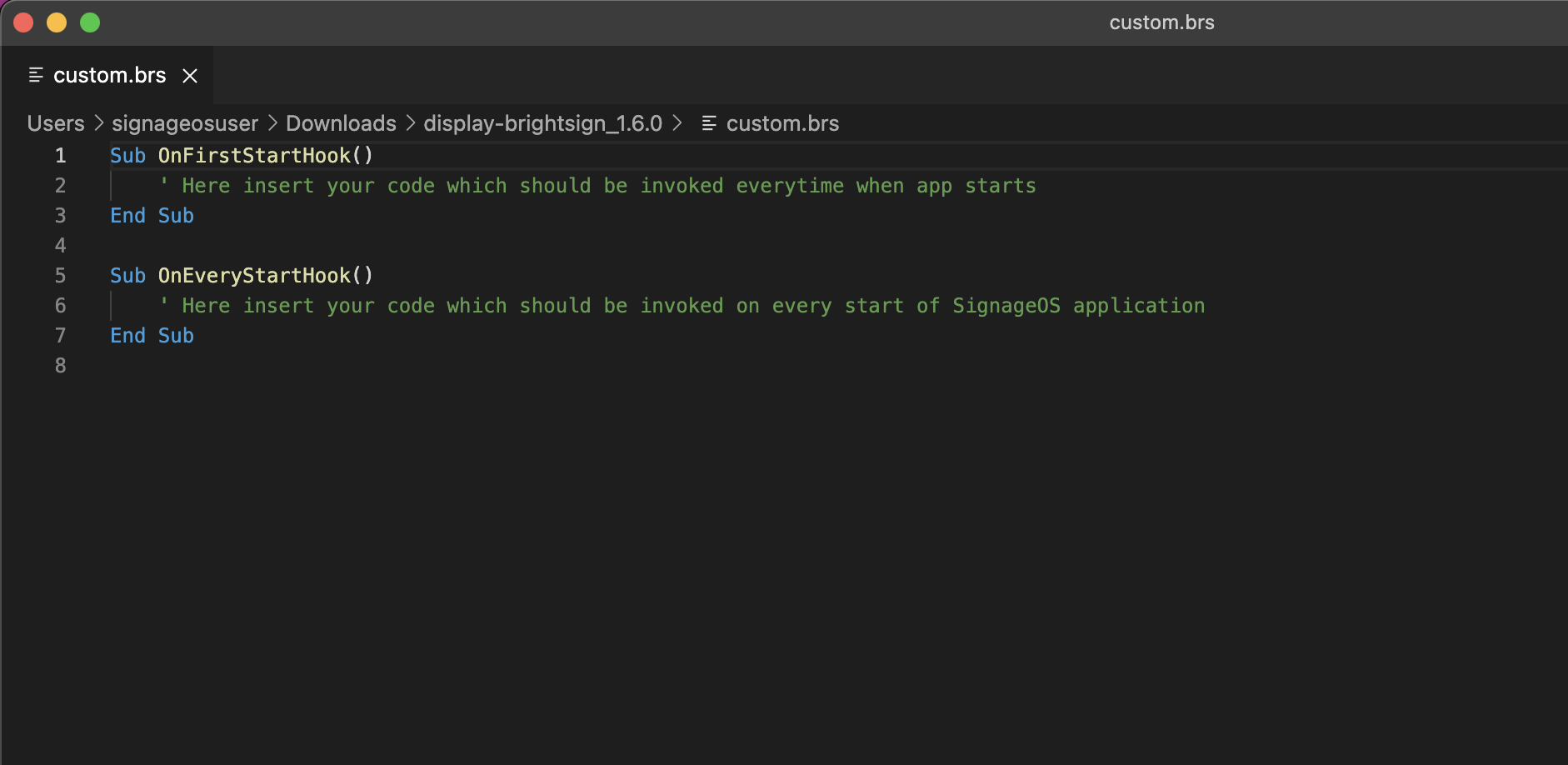
Open the custom.brs file
Open the file custom.brs in your favorite code editor.
- 2
Add the WiFi configuration code
Under the OnEveryStartHook() method add this short piece of code with your WiFi details filled in
nc = CreateObject("roNetworkConfiguration", 1)nc.SetWiFiSecurityMode("ccmp")nc.SetWiFiESSID("yournetwork")nc.SetWiFiPassphrase("password123")nc.Apply()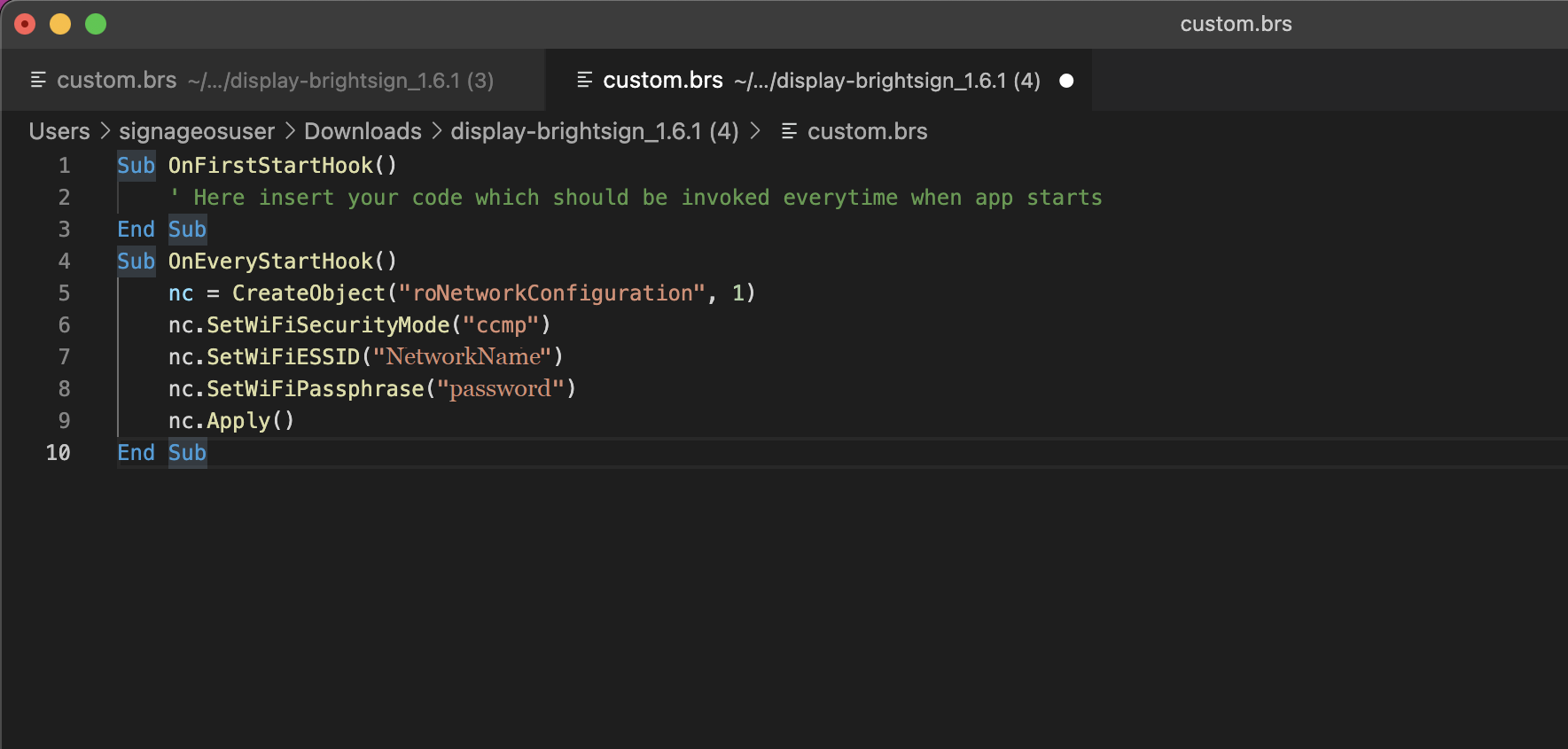
- 3
Save the file
Save the file
- 4
Insert the provisioning card
Insert the card into the device with provisioning package
- 5
Confirm the connection
The device should connect to the network automatically