Giada factory reset
- 1
Press the wheel button
Press the wheel button on the mouse connected to the device.
- 2
Open Settings
Choose option settings with a tool icon.
- 3
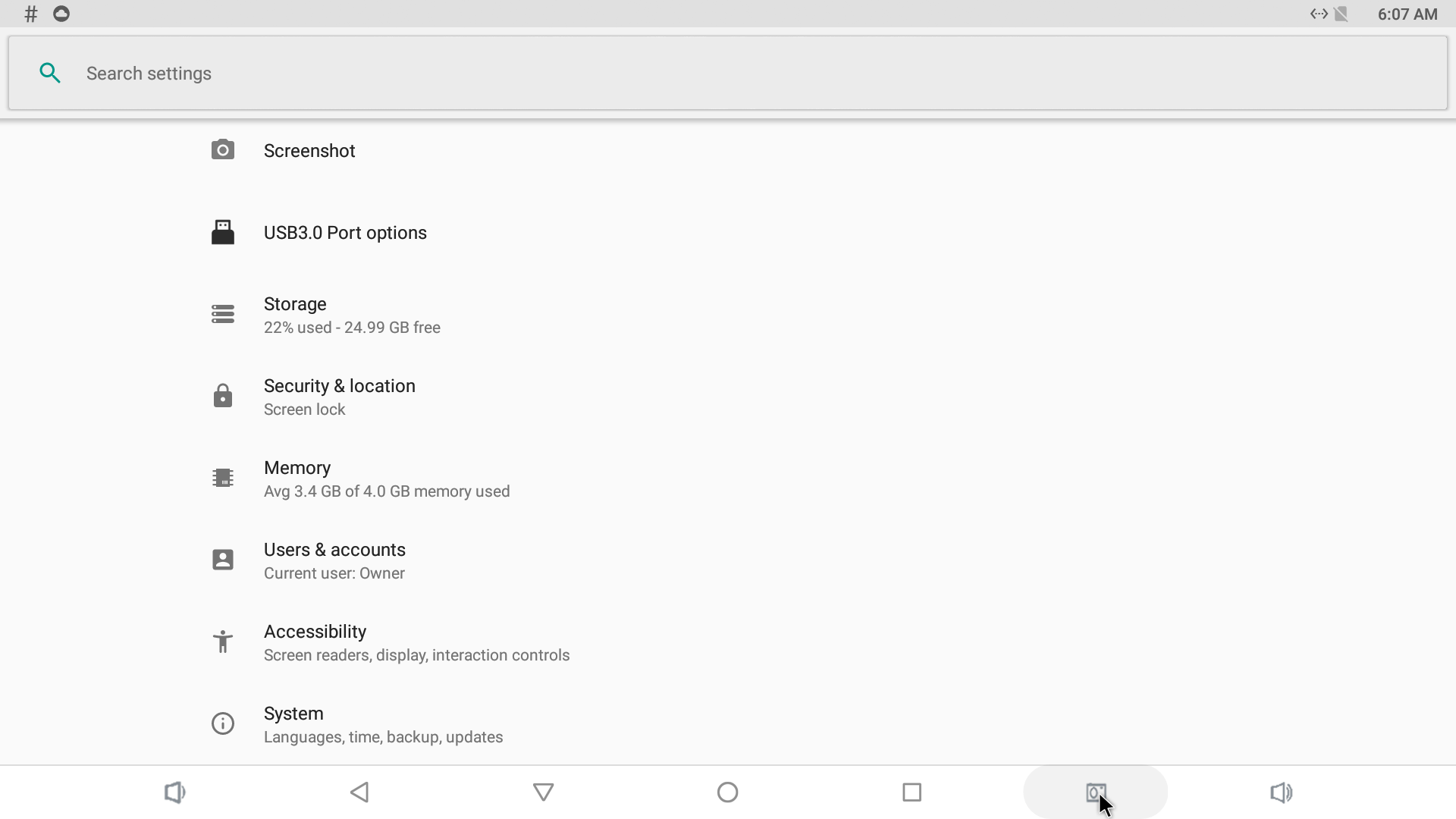
Go to System
Scroll down to the bottom of the page to find an option called System.
- 4
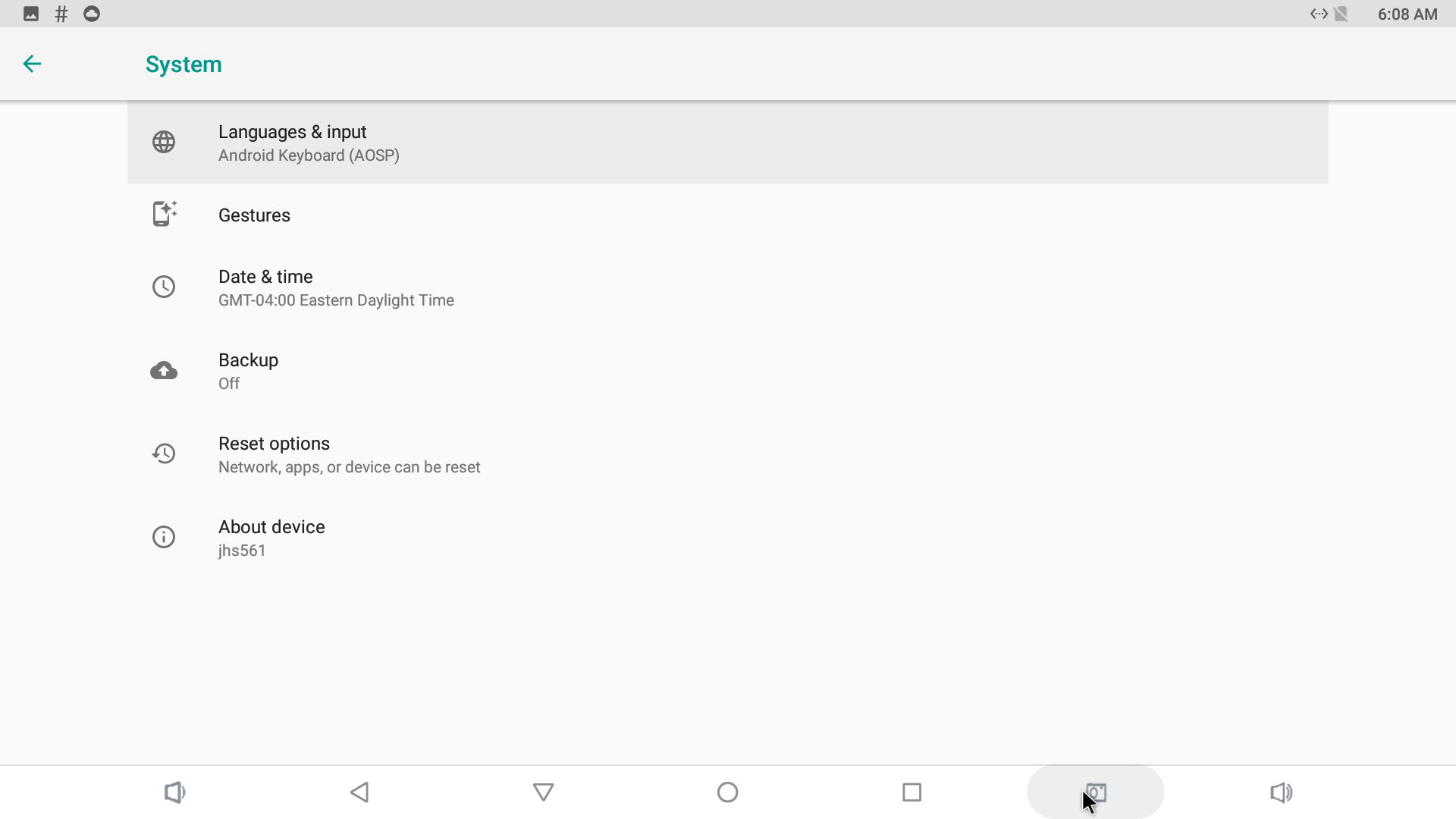
Open Reset options
Find there an option called Reset options.
- 5
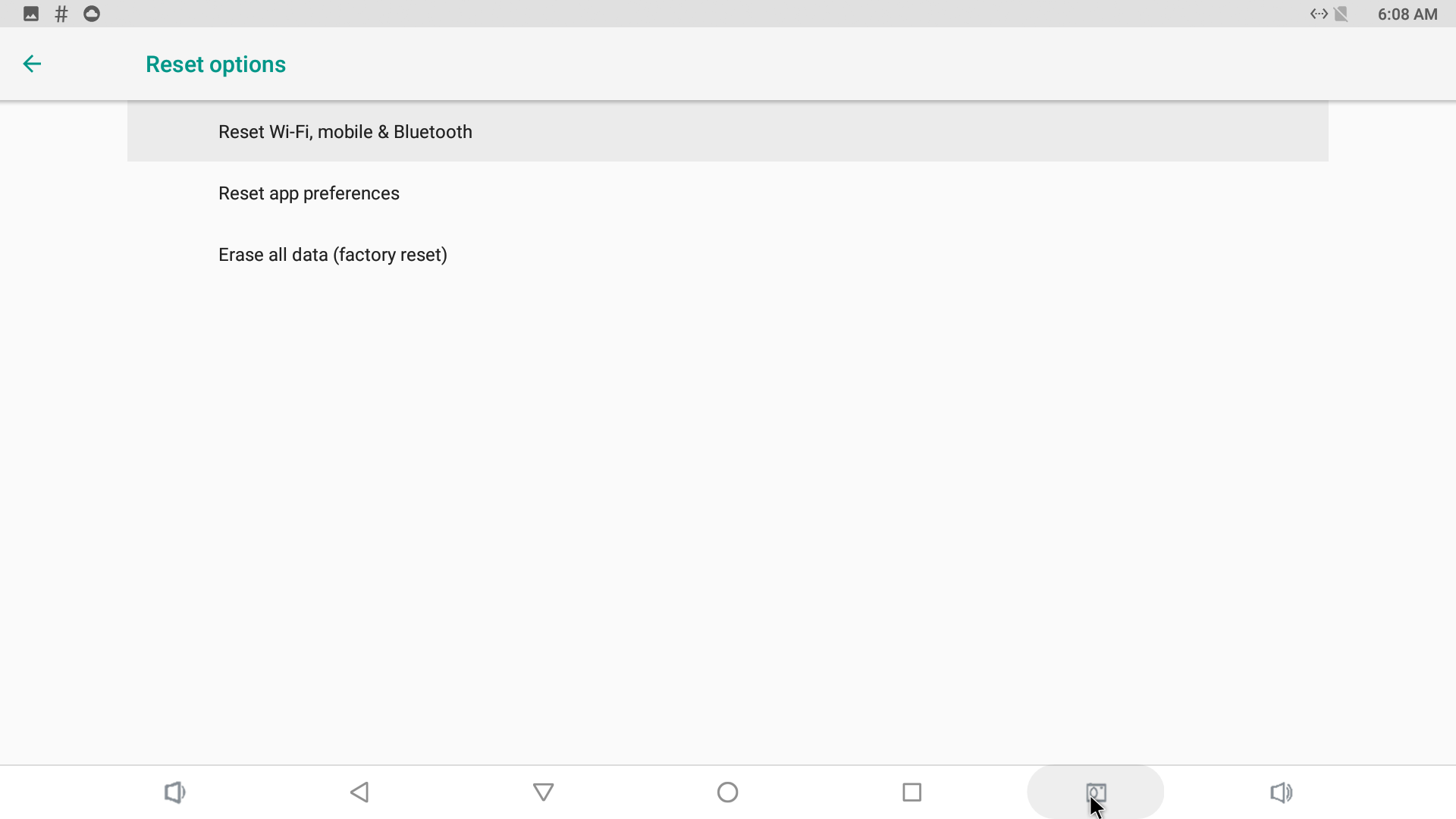
Erase all data (factory reset)
Choose to Erase all data (factory reset).
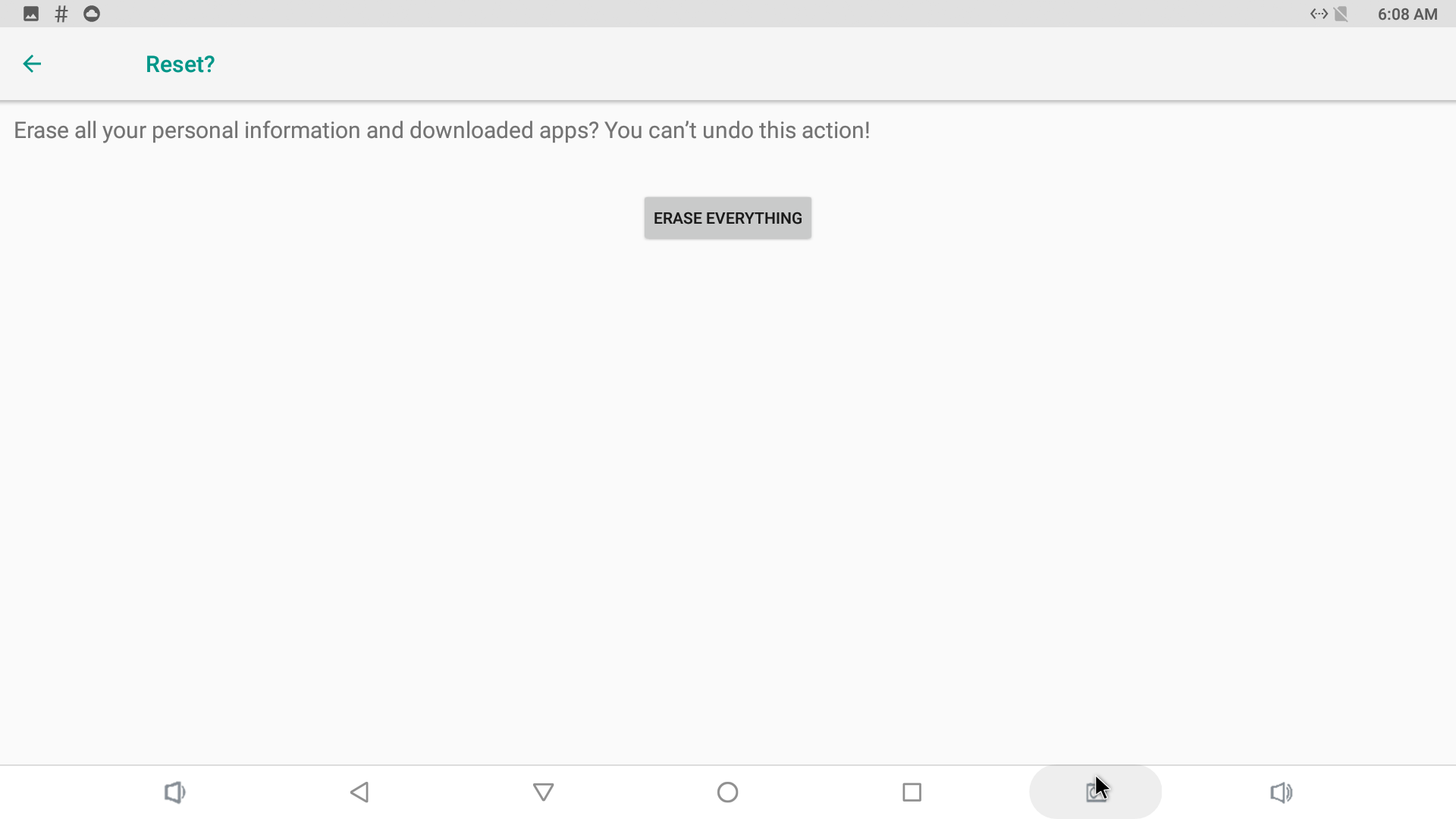
- 6
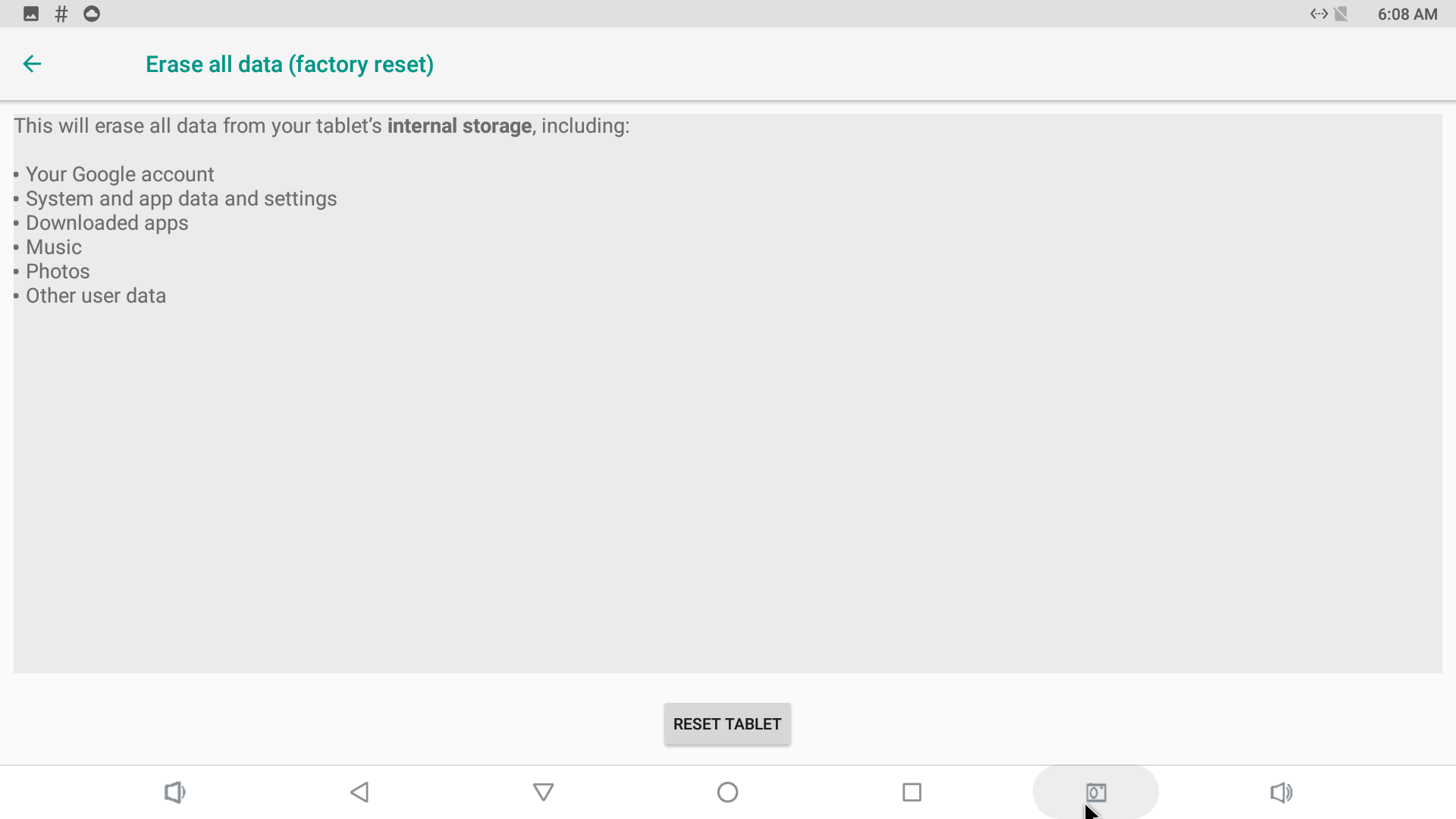
Confirm the reset
Confirm the reset.
- 7
Device reboots
Device will reboot after few minutes with all data erased.