Samsung Tizen Proxy Setup
Samsung Tizen supports network connection over a Proxy server. Below you find common pitfalls and limitations you might be facing.
How to setup Proxy
Proxy has to be configured manually via remote control. The settings is located in Menu -> Network -> Server Network Setting -> Proxy Server.
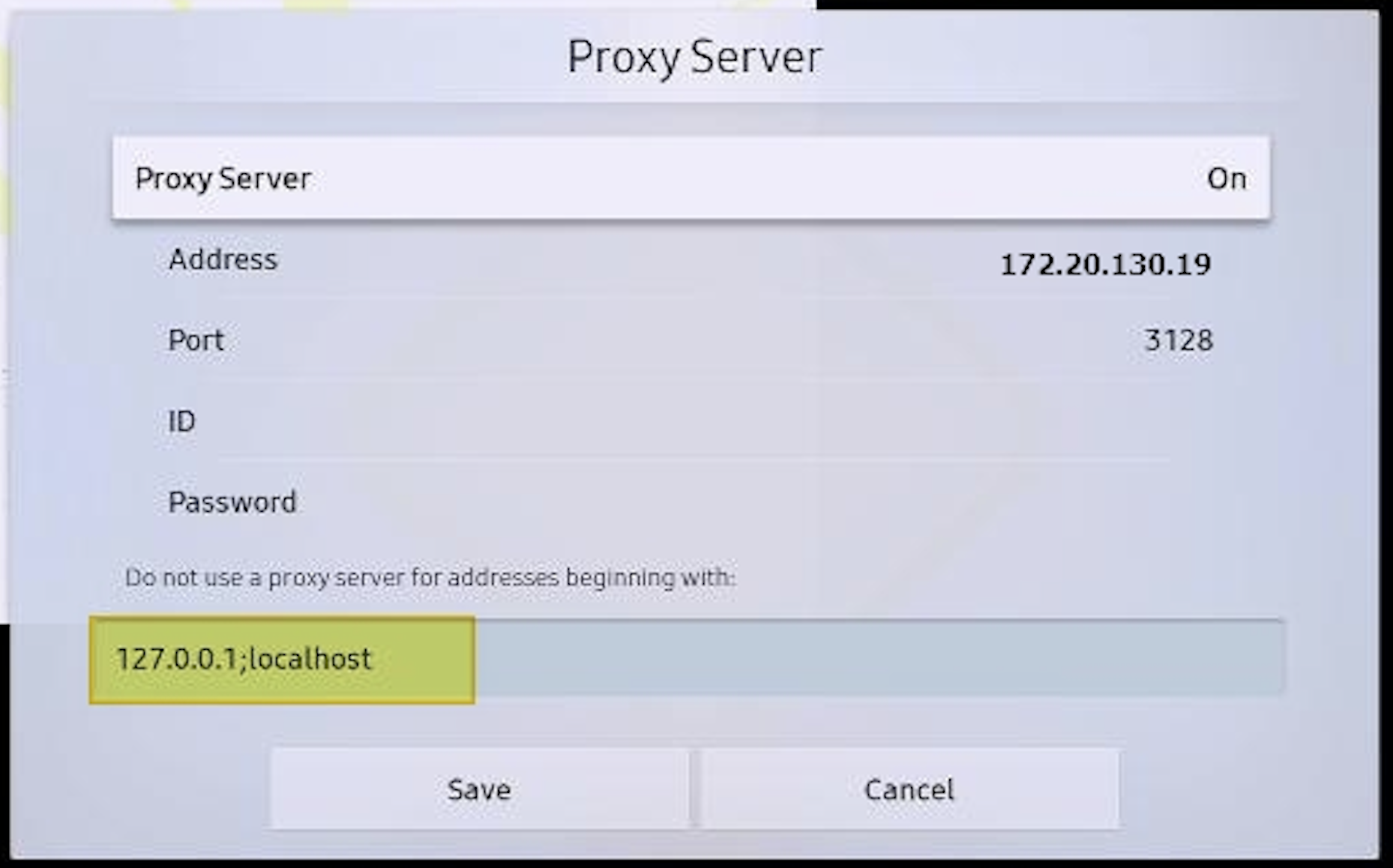
Setting up Proxy Bypass
You need to set up the Proxy bypass if you want to leverage the Node.js server app or the signageOS Peer-2-peer Recovery feature.
Fill in the following into the field "Do not use a proxy server for the addresses beginning with":
127.0.0.1;localhost
Known issues
If you are running on Tizen 2.4 (PMF, PMH, OHF) models, the Proxy will restrict usage of WebSockets. In such a scenario, you have to set up the Connection Type of your device to the HTTPS.
Unless you set up the HTTPS Connection Type, devices cannot connect to signageOS servers.