Tizen Deployment and Provisioning via MagicInfo
For MagicInfo Premium customers, please submit a support ticket for more info
Samsung MagicInfo/RM Server is a software that allows one to remotely connect and set up Samsung SoC-enabled devices.
If you want to deploy signageOS CoreApp (with your bundled Applet) to existing fleet of devices connected to the MagicInfo / RM server, follow these steps:
- 1
Log in to MagicInfo
Login to your MagicInfo instance
- 2
Locate the devices
Locate devices which you want to deploy signageOS to
- 3
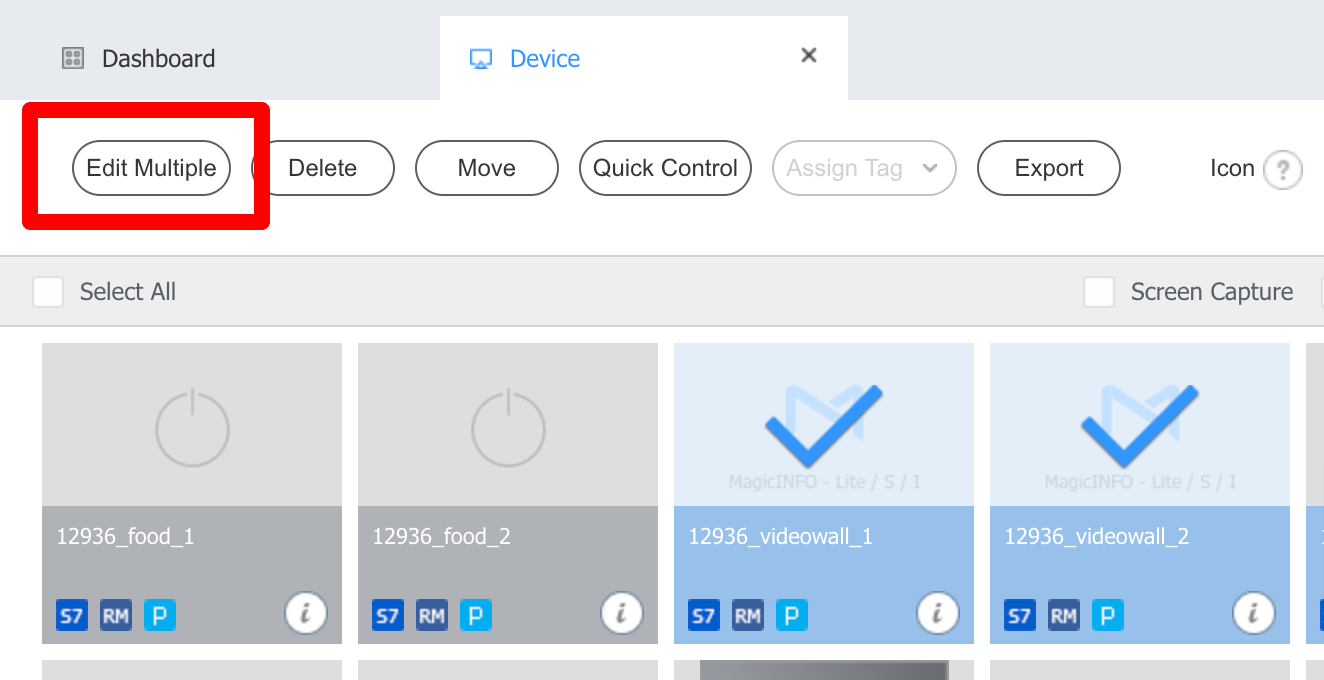
Open Edit / Edit Multiple
Click Edit/Edit Multiple
- 4
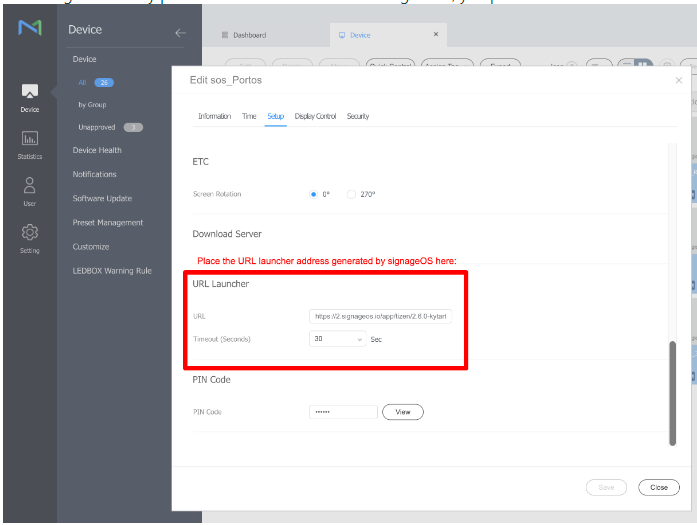
Go to the Setup tab
Go to Setup tab
- 5
Fill in the Core App URL
Fill in the URL to the signageOS Core App (e.g.: https://t.signageos.io, https://9900.io/xxYYzz) to the URL Launcher input
- 6
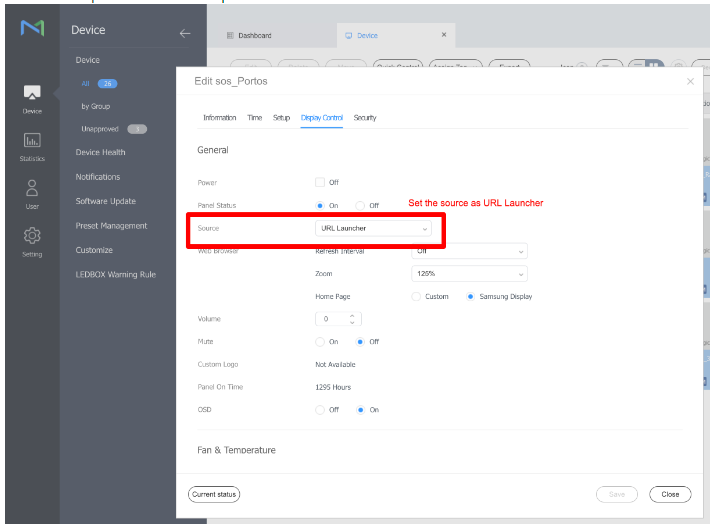
Set Change Source to URL Launcher
On the Display Control tab adjust Change Source to URL Launcher
- 7
Save and close
Save and close; devices will download the application and reboot
After installing signageOS, MagicInfo connection settings in the display will be disabled by default and it needs to be re-configured from our signageOS side.
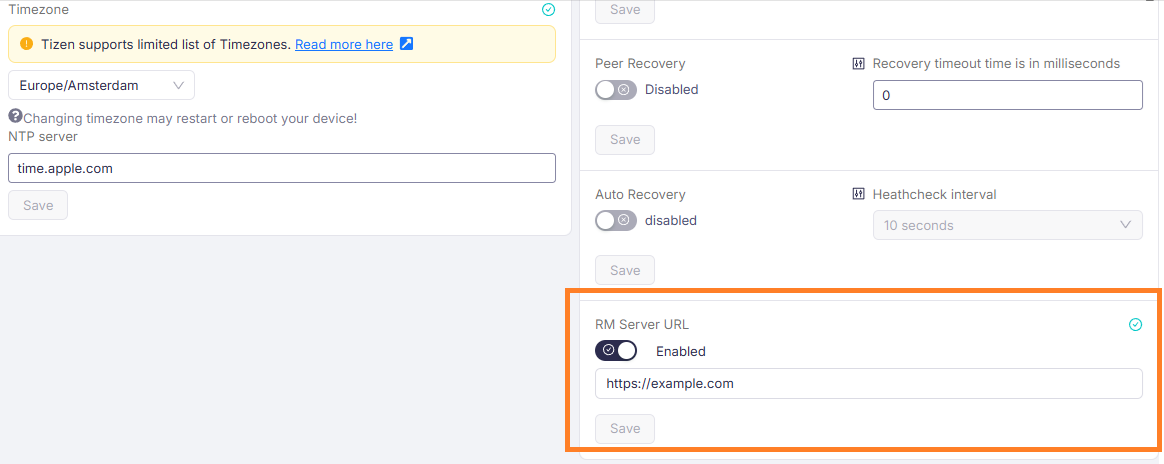
To do so please go to device settings page and set RM Server Url with your MagicInfo server URL
These steps can be programmatically automated by using MagicInfo API and the last step via our REST API