devSpace · Availability: DevSpaceDevSpace User License
To access DevSpace features, each user in your company must have a DevSpace license assigned. The number of available licenses is determined by your DevSpace plan subscription. During the initial DevSpace plan setup, you select users as part of the configuration wizard. You can manage licenses at any time afterwards from the Company settings.
License availability
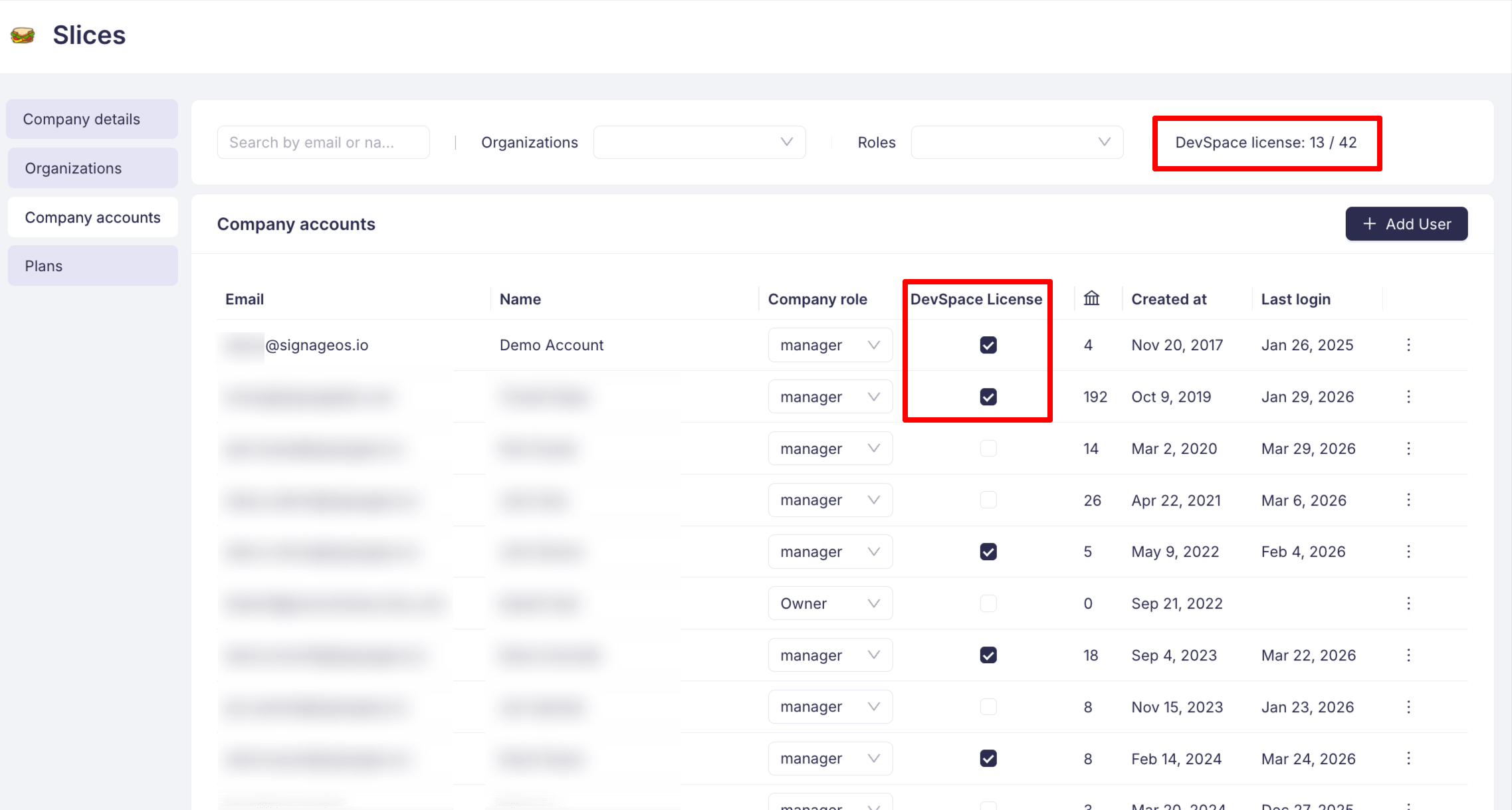
Your DevSpace plan subscription defines the total number of licenses available to your company. You can see how many licenses are currently assigned and how many are available in the Company Accounts page. The counter is displayed in the top-right corner in the format DevSpace license: X / Y, where X is the number of assigned licenses and Y is the total number included in your plan.
If all licenses are already assigned, you need to either revoke a license from an existing user or contact our sales team to upgrade your DevSpace plan for additional licenses.
How to assign a license
Only users with the Company Owner or Company Manager role can assign or revoke DevSpace licenses.
- Navigate to your Company settings in Box
- Select the Company Accounts tab from the left sidebar
- Find the user you want to grant DevSpace access to
- Toggle the checkbox in the DevSpace License column for that user
The license takes effect immediately and the user can start using DevSpace right away.
To revoke a license, simply uncheck the checkbox for the given user.
Related
- DevSpace Plan Configuration — initial plan setup wizard including user selection
- Build Targets — configure which platforms you can build for based on your plan