Backup image
Smil player has option to setup backup image to avoid black screen if something goes wrong during smil file download ( file does not exists ) or during XML to JSON conversion ( invalid XML ). Default backup image is provided by SignageOs, which is locally stored in SMIL player repository. Currently, only single image is supported.
Setup
There are two options how you can setup your backup image.
Option 1 - image stored locally in smil repository
Store image locally in public/backupImage/backupImage.jpg file. Name of the backupImage has to be backupImage.jpg at the moment.
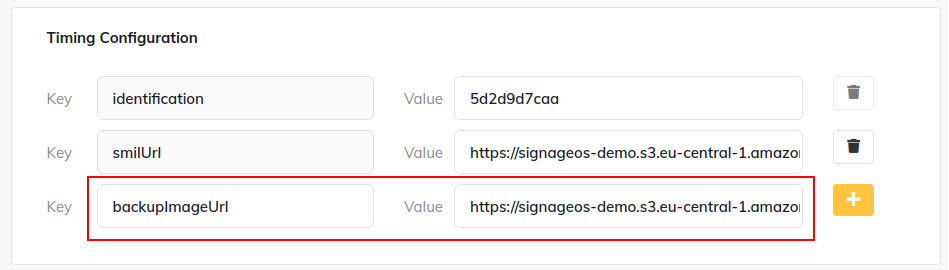
Option 1 - provide url to image via timings in Box
Url has to be stored in backupImageUrl variable in timmings in applet definition. Name of the file does not matter in this case.