Backup Image
The SMIL player has the option to set up a backup image to avoid a black screen if something goes wrong during the SMIL file download (e.g., the file does not exist) or during XML to JSON conversion (e.g., invalid XML).
A default backup image is provided by signageOS, which is locally stored in the SMIL player's repository.
Note: a syntactically valid SMIL file with an empty playlist is treated as an intentional state — the player shows
nothing and does not fall back to the backup image. The backup image appears only for download or parse failures.
See also the fallbackToPreviousPlaylist option in Updating Content, which keeps
the previous playlist running instead of showing the backup image.
Setup
There are two options for setting up your backup image.
Option 1 - Image stored locally in SMIL repository
Store images locally in the public/backupImage/ directory. The player supports separate landscape and portrait
images and automatically selects the correct one based on viewport orientation (comparing viewport width vs height):
backupImage_landscape.jpg— used when viewport width >= viewport heightbackupImage_portrait.jpg— used when viewport width < viewport height
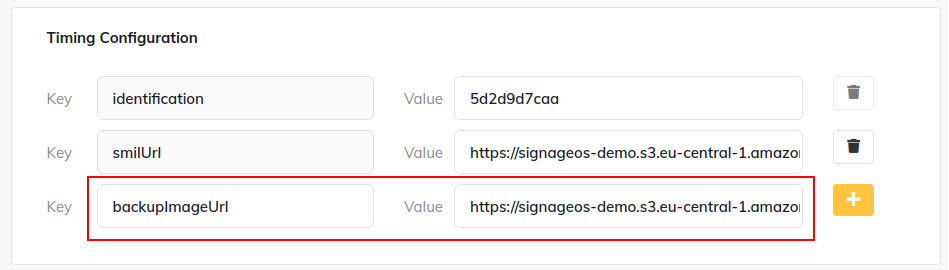
Option 2 - Provide URL to image via timings in Box
The URL has to be stored in the backupImageUrl variable in timings in the applet definition. The name of the file does
not matter in this case.